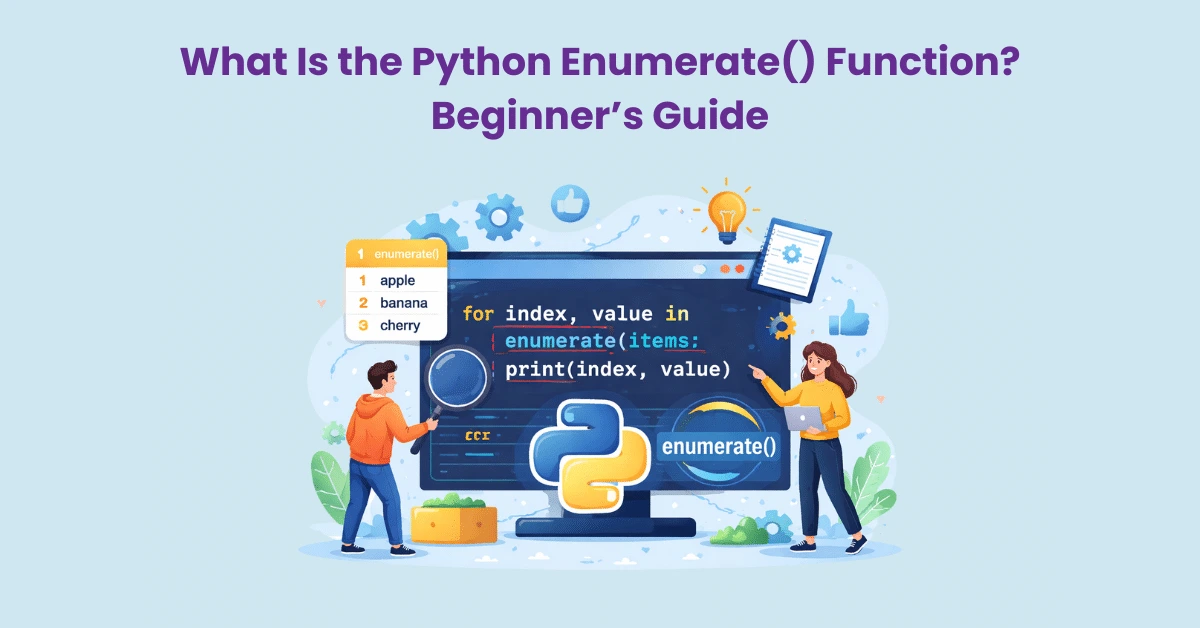
When you need to traverse some data in Python, you can use the built-in method called enumerate. It provides both the index (position) and the value (item). This keeps the loops clean and easy to follow. When most people are first learning loops, they do so with the “items only”. When they need the item number, Python Enumerate comes in quite handy.
Meaning of Python Enumerate
When you enumerate, you take an iterable and put a counter on it. Iterables include lists, tuples, or strings. It also includes file lines or any object you can loop through.
During each iteration, two things are returned:
- The index (0, 1, 2, 3…)
- The current item (the value at that position)
This means you don’t need to make a counter. And you don’t need to do a manual update.
The Functionality of Python Enumerate
It is useful because it eliminates the need to solve a repetitive problem. The value and position are things you need for many tasks.
It allows you to:
- Don’t need to use extra counter variables
- Decrease counting errors
- Loops become easier to read
- Logs and reports become cleaner to print
- Errors become easier to find during debugging
- More readable loops are easier to maintain.
This is especially true for long scripts and collaborative projects.
What You Can Use Python Enumerate With
Python enumerate can be used with almost all iterables.
This includes:
- Lists (they hold their items in a specific order)
- Tuples (they are fixed collections)
- Strings (they hold their characters in a specific order)
- The contents of a file (they are read line by line)
- The results you are looping over (like rows you have already loaded)
Important note about sets:
A set does not guarantee a specific order. As a result, the index number may not have any meaning with sets. If order is important, use a list.
Default Indexing: It Starts at 0
Enumerate always starts counting at 0. That’s normal for Python. If you loop over four seasons, the indexes will be 0 to 3. This is true for programming tasks. It may not always be the best for lists that are meant for humans.
The “Start” Option (Custom Starting Number)
You can also control where your final count using the Python enumerate function. With the documented output going to people, consider using “Start at 1” option.
Examples where counting starts at one makes more sense:
- Step lists in how to guides
- Ranking outputs (1st, 2nd, 3rd, etc.)
- Menu or option lists directed at the user
- Numbered tables in reports
Remember that the “start” option only changes the index visible to you.
- It does not alter the original data.
- It only changes the count in the loop.
Common Use Cases for Python Enumerate
1) Numbering a list to be shown
In certain instances, items in a list need to be assigned a number. When it comes to services, products, or topics,numbered items are easier to scan through.
This is best done using the Python Enumerate, as you will have both the number and the item.
2) Debugging: Knowing the Exact Position of a Problem
Debugging becomes easier when the exact position of the error is apparent. Suppose there is a long list of values and a single value is either missing or invalid. Printing just the value will not be that helpful. However, printing both the index and the value will automatically tell you where the issue is. This is a major time saver when troubleshooting.
3) Data Validation and Error Messages
Part of working with data is rule validation.
Examples include:
- A field cannot be blank.
- A number must be in a specified range.
- Certain strings must match specific criteria.
You should report the location of the failing rule. A Python enumerate makes the messages clearer. Rather than guessing, you can say, “Error at item 14.”
4) Working With Even and Odd Positions
Some tasks are dependent on position rather than just the value.
Example: treat even positions in a specific way and odd positions in another way.
Or apply a special rule every 5th item. To do this properly, you need the index. The Python enumerate function gives you the index.
5) Tracking Line Numbers in Text
When working with text, line numbers are important.
This is true for:
- Reviewing logs
- Simple file parsing and config checks
- Importing files (like a list of emails)
When you use Python’s enumerate, you can maintain a line number during a loop. This makes pinpointing errors easier.
Python Enumerate vs Manual Counters
A manual counter is when a counting variable is created, and you increment it within a loop. This seems okay. However, it can lead to typical mistakes like:
- Forgetting to increment the counter
- Incrementing at the wrong time
- Starting the count from the wrong number
- Wrongly reusing the same counter within loops
Using enumerate in Python is a solution to these mistakes. This way, you won’t have to worry about your counting logic since it’ll be handled by a built-in tool. Plus, it’ll be easier to read.
Python Enumerate vs. Index-Based Looping
Another way is to loop by only using indexes. Next, you take the respective value using that index. This method can be less clear. It emphasizes “numbers first” instead of “items first”.
When:
- You need the index and the value
- You need to create clear intent in the loop
- You want to decrease the likelihood of off-by-one mistakes
Using Python Enumerate with Parallel Data
You may have two lists that are related.
For example, lists of product names and their prices, or lists of students and their scores. You want to keep the items at the same index in both lists. In these situations, you can use Python Enumerate to keep track of the index. You can then get the corresponding element from the second list.
- It’s possible to have wrong matches when the lists have unequal lengths.
- It’s best practice to first check lengths.
- If possible, reformat the data into a single combined list.
Common Mistakes to Avoid
Mistake 1: Treating the Index Like a Permanent ID
The index is the current position in the loop. It is not a permanent identity.
- If you sort the list, the indexes will change.
- If you add an item, the indexes will change.
- If you filter elements, the indexes will change again.
- Use actual IDs if you need a permanent identity.
Mistake 2: Using It Where You Do Not Need the Index
If you only need values, you can simplify.
- A plain loop works.
- Overusing python enumerate everywhere can complicate your thinking.
- Use it only when the index is helpful.
Mistake 3: Confusion About the Start Value
Setting the start value to 1 means your first index is 1. That’s ideal for humans. It can be logical confusing if you change it and forget.
- Use “start at 1” mainly for display.
- Use the default start (0) when you need to process things.
Mistake 4: Using It With Unordered Collections
When order is not set, an index is meaningless. Sets are the most obvious example.
If order is important, use a list or some other ordered collection.
Good Habits For Clean Use
Good habits to keep your loops clean:
- When you need index + value use python enumerate
- When you print the lists use a more human-start number
- Use clear variable names like “index” and “item”
- When you debug data issues log both index and value
- Do not use indexes as permanent identifiers
- When the index should be meaningful, prefer ordered data structures
These little things help to to keep small things like code reviews to a minimum.
Quick Summary
Python enumerate is a good looping aid that is simple and powerful. You get the index and the value together. You manual counting is \/ and you code is more readable. For debugging, reporting and validation, it’s especially useful. If you’re lists and texts are frequently python enumerate is a good thing to learn.
FAQs
1) What is python enumerate used for?
It is used to loop through items while also getting their index.
2) Does Python enumerate start from 0?
Yes, by default, it starts from 0.
3) Can I start Python enumerate from 1?
Yes, you can customize it for more human-friendly numbering.
4) Is Python enumerate only for lists?
No, it can be used with most iterables, like tuples, strings, and lines in a file.
5) Is the index from Python enumerate a real ID?
No. It’s only a position in the current iteration of the loop. It could change if the underlying data change.
6) When should I avoid Python enumerate?
You should avoid it when the index is not needed, or when the data does not have a certain order.